


For Indian Railways passengers
Live train status, and a chat room for your train.
See where your train is, get alerts on your phone until your stop, and chat with the passengers on the same train.
- Free
- Verified passengers in chat
- Your data is never sold
- Made in India
Live Running Status
Where your train is, how late it is, and when it reaches your station.
Subscribe to a Train
Sit back. Your train updates you every hour, right in your notifications.
Train Chat
Your train's own group chat: delays, platforms, help and a little fun.
RailBuzz AI
Ask anything about your journey. Food, fares, refunds, rules.
Search trains
Find your train
A train's timetable, trains between two stations, a station's live board or your PNR status, all in one place.
Any Indian Railways train: a number like 12727, or a name like Godavari or Rajdhani.
Every Indian Railways train: try a number like 12727, or a name like Godavari or Rajdhani.
What RailBuzz does
5 ways RailBuzz makes every journey easier
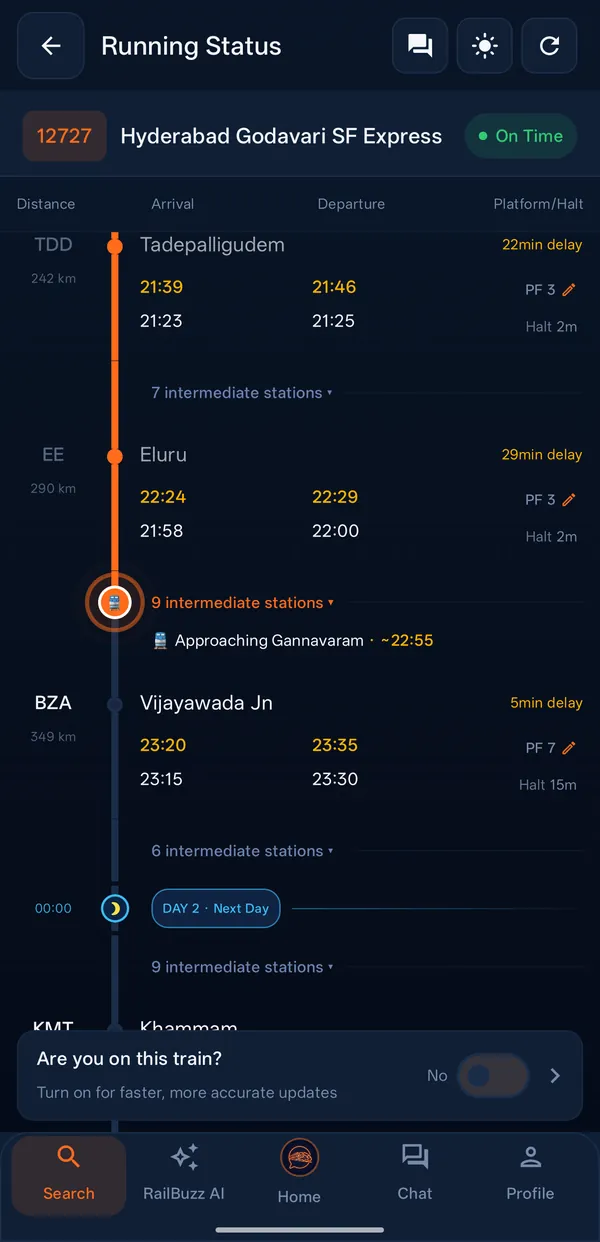
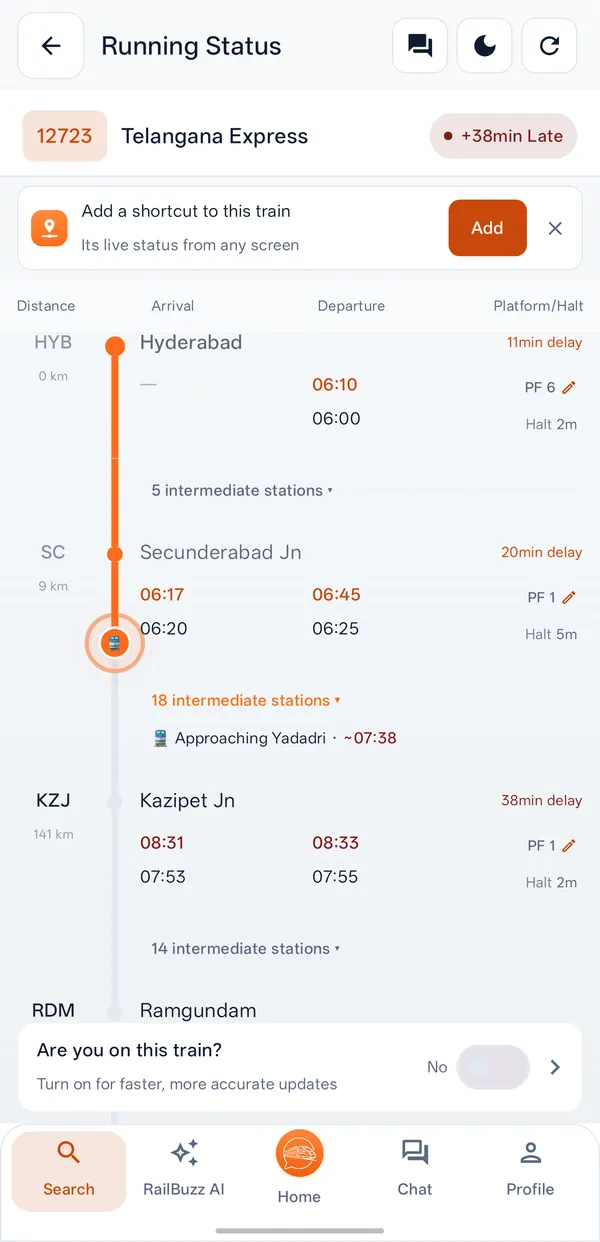
Live Running Status
Where's my train? One tap tells you.
See the station your train last crossed, how late it is running, and when it will reach every station ahead. It keeps updating while you watch.
A shortcut to your train
Keep a train's live status on the edge of every screen and check it with one tap.
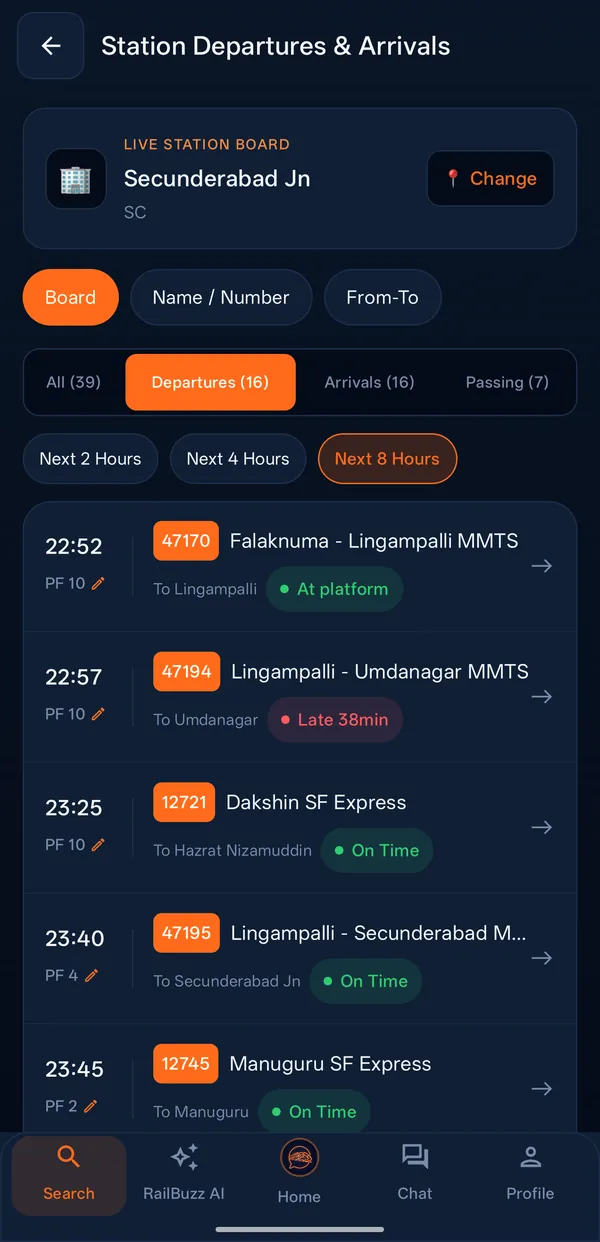
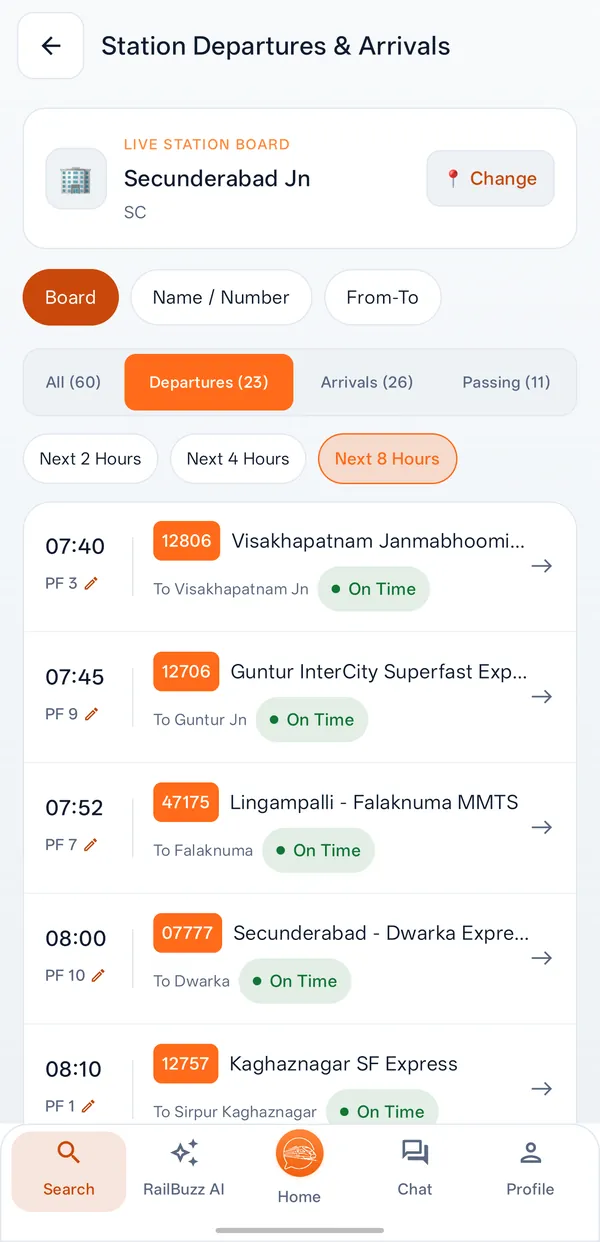
Station Departures
The live board for any station: the trains arriving and leaving next.
Trains Between Stations
Every train that runs between two stations, to plan the next journey.
PNR Status
Check your booking and each passenger's current status in one place.
Subscribe to a Train
Sit back. Your train keeps you posted.
Tell RailBuzz your train, the day and your stations, just once. Your phone then keeps you posted till your stop, even with the app closed.
Updates about every hour
Where the train is and whether it is on time, sent as it leaves its halts.
Boarding alerts
About 30 minutes before the train reaches your station, and again just before, with the platform when it is known.
Destination alert
About 20 minutes before your stop, so you are ready to get down.
Delays and cancellations
Told when departure is delayed, when the train is cancelled, or when the news reports a change to it.
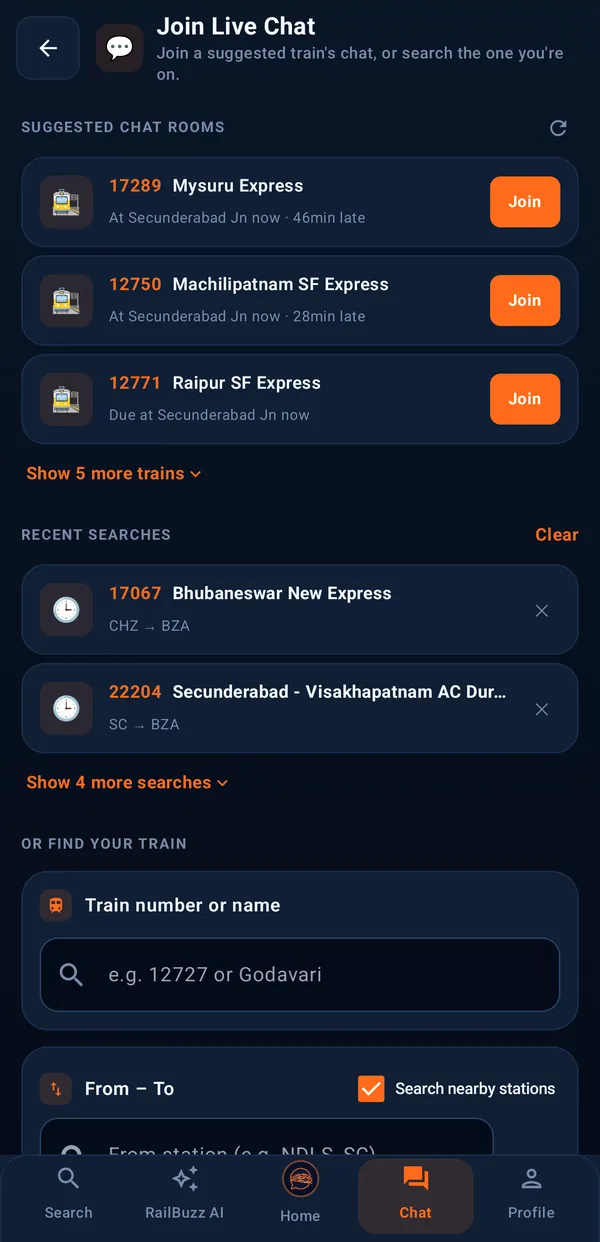
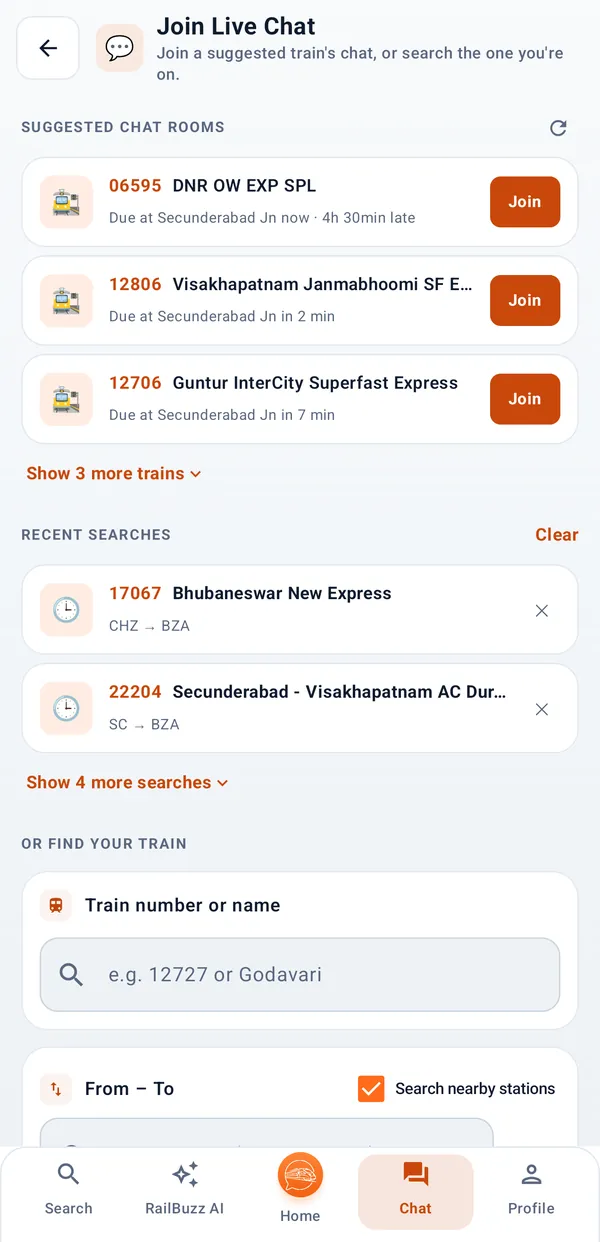
Train Chat
Everyone on your train, in one chat.
Every train gets its own chat room for each day it runs. Ask about the delay, a platform change or where your coach stops, and hear from people on the same train.
Quick posts
One tap for a Delay Update, Platform Info or Coach Help.
Ask for help
Post a help card with your coach number. Everyone in the room sees it and can reply.
Share the room
Send a train's room to someone travelling with you. The link opens straight in the app.
Only for the journey
A room closes 15 minutes after the train completes its run.
RailBuzz AI
Ask anything. Get a straight answer.
Ask in your own words: food on the train, fares, refund rules, your PNR. When the answer depends on your train, it is worked out from its live running status.
Order Food
The next halts where food can reach your seat, with IRCTC's official ways to order.
Fare Enquiry
Fares for a train, class by class.
IRCTC Rules & Refund
Cancellation and refund rules, explained simply.
PNR Status
Your booking and each passenger's status, explained in plain words.
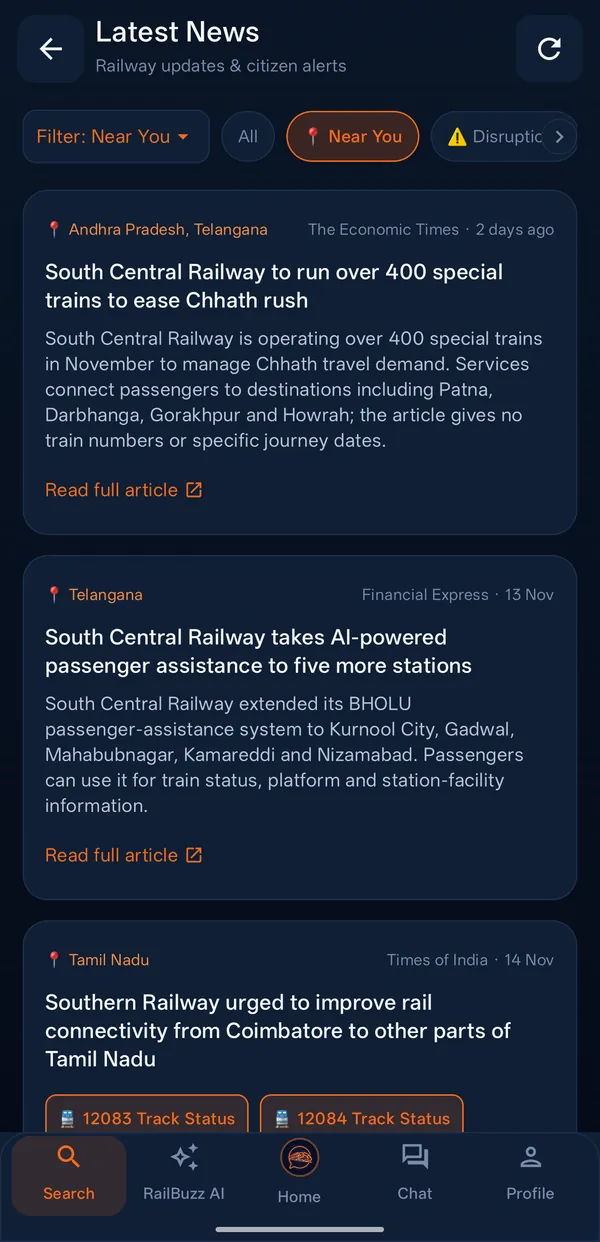
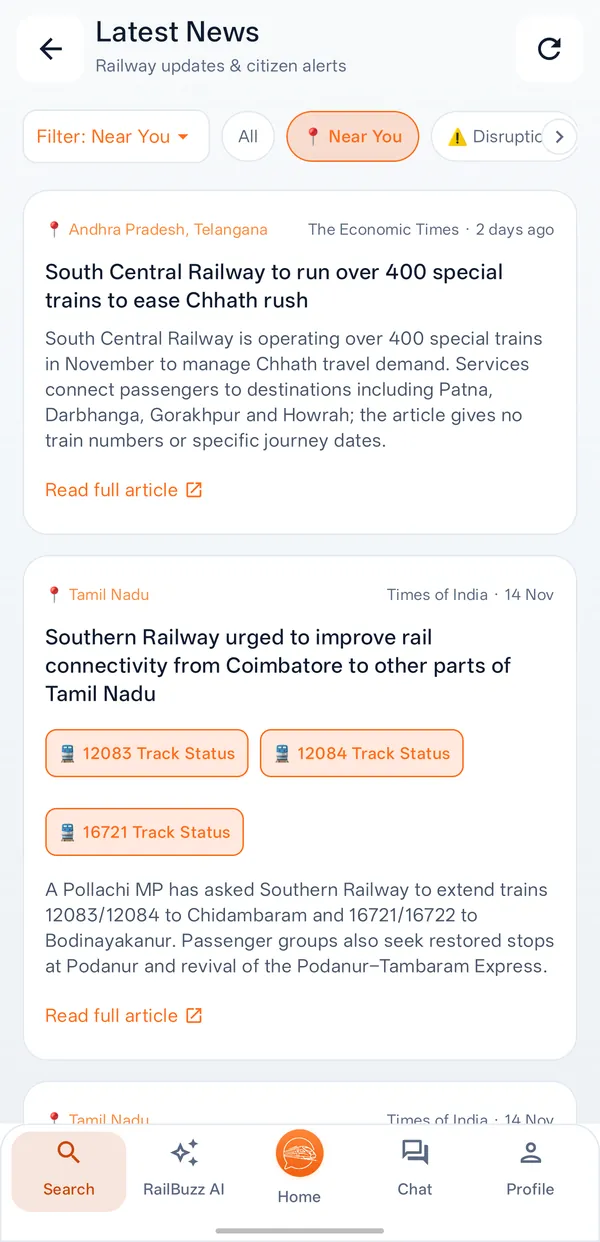
Latest Railway News
Fresh railway news, before you set off.
Picked for passengers and updated through the day: what is happening near you, what could affect your train, and the big stories from across India.
News around you
Railway news from your own state first: new trains, new halts, station works.
Disruptions
Cancellations, diversions and delays in the news, also shown on the trains they affect.
Nationwide news
The big railway stories from across India, short and simple.
Breaking news
Checked through the day, so you hear the big news early.
See the app
RailBuzz, on a real journey
Screens from the app as it is today: real trains, real stations, real news.
How it works
Ready before your train leaves
- 1
Install and sign in
Get RailBuzz from Google Play and sign in with your mobile number or your Google account.
- 2
Find your train
Search by train number or name, or pick from the popular trains for your state.
- 3
Follow it, or join the chat
Open Running Status, subscribe for alerts until your stop, or tap Join Chat.
Safe by design
A chat with strangers, built to stay civil
Every passenger on a train can join its room, so RailBuzz is built around accountability and privacy.
Verified passengers
Chat needs a mobile number verified on your phone, so everyone in a room is accountable.
Aliases, never names
Others see an alias like Traveller-392, never your name or number.
Report and block
Report a message or block a passenger. Complaints are acknowledged within 24 hours.
Helplines one tap away
139 Railway, 112 Police and 182 Security, on the app's home screen.
Questions
Common questions
Is RailBuzz free?
Yes. RailBuzz is free to download from Google Play, and every feature is free to use. It runs on Android phones.
Is RailBuzz an official Indian Railways or IRCTC app?
No. RailBuzz is an independent app, not run by Indian Railways, IRCTC or any government body. Train times, running status and PNR status come from third-party railway data services, as Indian Railways reports them.
How do I get alerts before my station?
In the app, tap Subscribe to a Train and choose your train, the day and the stations where you get on and get down. RailBuzz then updates you about every hour, alerts you about 30 minutes before your boarding station, and again about 20 minutes before your stop. You are also told if the train is delayed or cancelled.
How do I join the chat for my train?
Find your train in the app and tap Join Chat. Every train has a chat room for each day it runs, with the passengers on that train. The first time, you verify your mobile number with an SMS code. How train chat works
Can other passengers see my name or phone number?
No. In a chat room you appear under an alias such as Traveller-392. Other passengers never see your name or your mobile number.
Do I need an account?
Searching trains on this website needs no account. In the app, you sign in with your mobile number or your Google account. You must be 18 or older to create an account.
Why do I need to verify my mobile number to chat?
It keeps the rooms accountable: every message comes from a real passenger with a verified number. You verify once on your phone with an SMS code. RailBuzz may ask again if you change your SIM, your number or your phone.
How long are chat messages kept?
A train’s room closes 15 minutes after the train completes its run, and most chat is deleted within days. Messages someone reported are kept longer, for safety review. The Privacy Policy sets out every period.
Can RailBuzz send help in an emergency?
No. A help card reaches the passengers in your train’s chat room, not railway staff or emergency services. For anything urgent, call 139 (Railway helpline), 112 (police and emergency) or 182 (railway security). RailBuzz keeps these numbers one tap away on the home screen.
How do I delete my account?
In the app, open the menu, then Settings, then Delete Account. You can also ask by email to support@railbuzz.in. The Delete your account page explains what is erased and when.
Still stuck? Write to support@railbuzz.in.
Your next journey, with company.
Live status, alerts until your stop and a chat room for your train. Free on Android.
